

Update your software and prevent problems
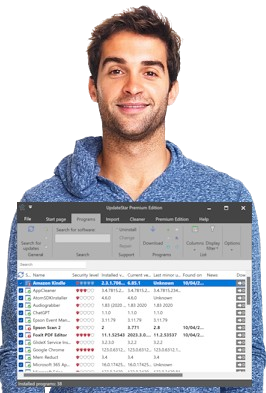
No more missed important software updates! UpdateStar Premium lets you stay up to date and secure with the software on your computer.
 
Now supports more than 1,437,000 third-party software titles and delivers updates for your software including minor upgrades.
 
Comes with a $29 bonus product in your cart - in May only
Awards & Reviews
Excellent application that will enable you to check for and install updates for applications installed on your system - In a review on the site V3.co.uk, UpdateStar is given four out of five stars and praised for its design and potential. From the review: "Once you've installed an application on your system, unless it was supplied with an automatic update tool, you'll probably forget to check to see if a new version has been released. With some freeware and shareware titles, new updates can be made available on a weekly basis. Many of the new releases may not contain new features, but they may contain bug fixes that might make the software perform more securely or efficiently on your system.

One option is to scour Download sites such as www.vnunet.com/downloads. Another option is to use a tool that will search through your installed applications and then find updates, if an update exists.

UpdateStar is such an application. It's well designed and borrows the ribbon interface from Office 2007. You can set up an automatic update check and even purchase software installed, such as trial software." - V3.co.uk, May 2012
 
Stop wasting time searching for updates - In a review in the UK computer magazine PC Advisor the editors summarize: "UpdateStar Premium lets you know when an update is available. It keeps an eye on more than 1,273,000 third-party programs, so your PC remains up to date and secure all times. UpdateStar Premium delivers available updates for your software, including minor upgrades and secure downloads. It offers to save you time, and prevent you from accidentally skipping an important update." - PC ADVISOR, September 2010
 
The best diagnostic tools - In a review in the German computer magazine Computerwoche the editors summarize: "With UpdateStar your software is always up to date, because UpdateStar will automatically notify you of available upgrades and product information." And the editors continue: "It also offers you a software management tool, which not only surpasses the standard management of Windows in speed, but you are given additional information about the installed software. You can also uninstall programs." - Computerwoche, June 2010
 
Program Updater - In a review in the computer magazine Computerbild the editor summarizes: "Forget the lengthy search for new versions of your installed programs: UpdateStar gives you an instant overview. The software analyzes your hard drive and really knows exactly which software updates your PC is missing. A few clicks later, your entire software is up to date and that is important, because fresh updates not only eliminate errors. Often updated programs even offer more functionality " - Computerbild, May 2010
 
Rating: Excellent - In a review on SnapFiles.com, UpdateStar is given five out of five stars. The reviewer says "UpdateStar scans your computer for installed software products and produces a list of your inventory and available updates, along with download link and additional information. The program not only works with widely used commercial products, but also with many freeware and shareware programs available from the web." - SnapFiles.com, October 2009
 

UpdateStar fills a need I never knew I had - In a review in the PC World magazine, the reviewer says: "After that, all I needed to do was click the software I wished to update, and I received quick links back to the appropriate download page." - PC World, June 2009
 
This software shows potential - In a review in the PC Authority magazine, the reviewer says: "Whether it will support all your applications is another matter, although on our test system it did seem to find and check for updates for around half of our installed applications, although some of those 'upgrades' were earlier versions of installed software." - PC Authority, March 2009
 
Ease of use is remarkable - In a review on softpedia.com, the reviewer says: "Its looks are stunning and the ease of use is remarkable: a few clicks and you know if there is outdated software on your computer." - softpedia.com, February 2008


Newsletter:
Latest updates Bookmark this page Twitter Twitter Facebook Facebook