


"Saves a lot of time and prevents embarrassing typing errors." — Richard S.
Simplifies the maintenance of your contact data.
SigParser Chrome Extension
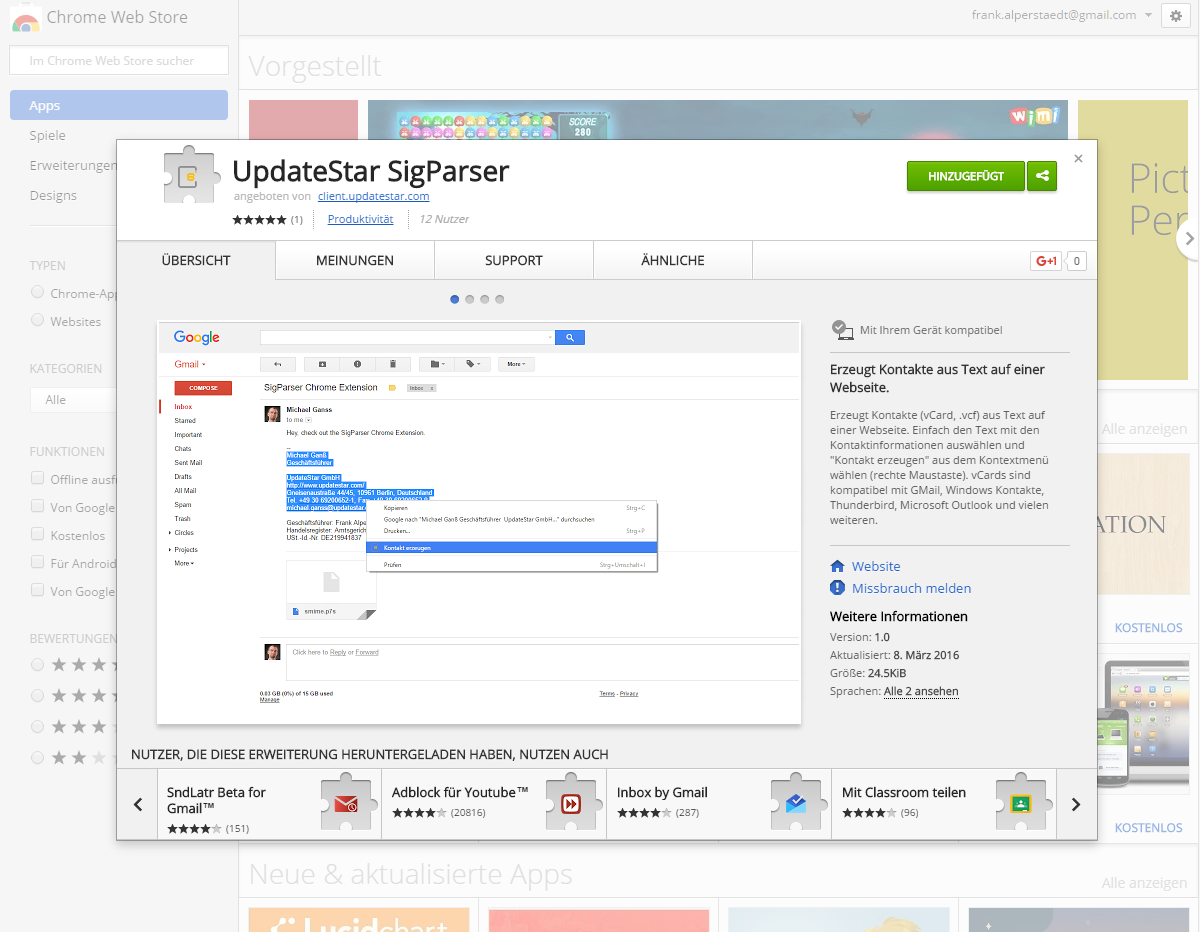
Transform your Chrome browser into a powerful contact extraction tool. The free SigParser Chrome extension instantly converts contact information from any webpage into standardized vCard files compatible with all major email clients and contact management systems.
Browser-Based Contact Extraction
Simple Right-Click Workflow
Extract contact information from any webpage with an intuitive three-step process:
Select Contact Text
Highlight contact information on any webpage, email, or document
Right-Click Menu
Access the context menu and select "Create Contact" option
Export vCard File
Instantly generate a .vcf file ready for import into your email client
The extension automatically parses names, addresses, phone numbers, and email addresses from the selected text, organizing them into proper vCard format.
Extension Features
Context Menu Integration
Seamlessly integrated into Chrome's right-click menu for instant access from any webpage or web application.
vCard Standard Format
Generates industry-standard .vcf files compatible with Gmail, Outlook, Thunderbird, and all major contact systems.
Instant Processing
Contact data extraction and vCard generation happen in seconds, enabling rapid workflow integration.
Privacy Focused
All processing occurs locally in your browser—no data is transmitted to external servers.
Works Everywhere
Extract contacts from any website, web application, online directory, or cloud-based document.
Free Download
Completely free Chrome extension available directly from the official Chrome Web Store.
Get the Extension
Install the SigParser extension directly from the official Chrome Web Store. The extension works with all current Chrome browser versions and Chromium-based browsers.
Perfect For
Professional Networking
Quickly save contact information from online business directories, LinkedIn profiles, and professional websites.
Sales Prospecting
Extract prospect information from company websites and online databases directly into your CRM system.
Research Projects
Build contact databases from online research without manual data entry or copy-paste operations.
Email Campaigns
Rapidly populate contact lists for marketing campaigns from various online sources.
Extension Overview
- Chrome Browser extension
- 100% Free to use
- vCard Format output
- Right-Click activation
- Local Processing only
Installation Steps
- Visit the Chrome Web Store link
- Click "Add to Chrome" button
- Confirm the installation prompt
- Extension icon appears in toolbar
- Right-click any text to use
Compatible With
- Google Chrome browser
- Chromium-based browsers
- Microsoft Edge (Chromium)
- Brave Browser
- Opera Browser
vCard Import Support
Generated .vcf files work with:
- Gmail / Google Contacts
- Microsoft Outlook
- Thunderbird
- iPhone / iOS Contacts
- Android Contacts
Privacy & Security
Your data stays private:
- Processes data locally
- No external servers
- No data collection
- No tracking
Need More Power?
For advanced features, try the full desktop application with Outlook integration and batch processing.