

"This backup software simply protects my files and works for me!" — Maria T.
Reliable daily backup protection for your files.
Local Backup Use Cases & Applications
Local Backup provides comprehensive automated backup solutions for protecting your valuable data from hardware failures, accidental deletion, and data corruption. Understanding when and how to deploy Local Backup maximizes protection for your irreplaceable files, photos, videos, and documents.
Primary Use Cases
Hardware Failure Protection
Safeguard against hard drive crashes, system failures, and hardware malfunctions that can result in permanent data loss without warning.
Cost-Effective Recovery
Avoid expensive data recovery services by maintaining current backups—professional recovery can cost thousands compared to affordable backup solutions.
Irreplaceable Files
Protect unique, irreplaceable data like family photos, personal videos, creative work, and historical documents that cannot be recreated if lost.
Media Protection
Automatically backup photos and videos immediately after importing from cameras or mobile devices to external storage.
Document Backup
Keep important work documents, contracts, financial records, and business files protected with automated version-controlled backups.
File Synchronization
Maintain synchronized copies of active projects across multiple storage devices for seamless workflow continuity.
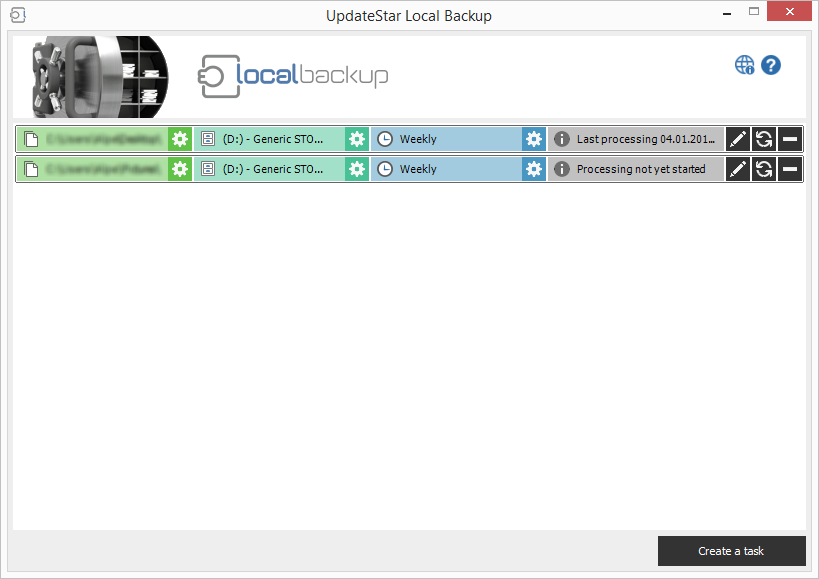
Why Local Backup Matters
Data loss can happen to anyone, at any time. Understanding the risks and preparing with reliable backup solutions is essential for protecting your digital assets.
Hardware Failures
Hard drives have limited lifespans and can fail without warning. Regular backups ensure your data survives hardware malfunctions, mechanical failures, and electronic issues.
Accidental Deletion
Accidentally deleted files are often unrecoverable without backups. Local Backup's versioning system protects against user errors and premature deletions.
Malware & Viruses
Ransomware and malware attacks can encrypt or destroy your files. External backups provide clean recovery points unaffected by system infections.
Power Failures
Sudden power outages or surges can corrupt files and damage storage devices. Regular backups mitigate risks from electrical issues.
Real-World Scenarios
Home Users
- Family Photo Archives: Backup decades of family photos to external drives, protecting memories from device failures
- Home Video Collections: Preserve recorded family events, vacations, and special moments with automatic versioned backups
- Personal Documents: Safeguard tax records, insurance papers, legal documents, and important correspondence
- Music & Media Libraries: Protect purchased music, audiobooks, and digital media collections from loss
Photographers & Content Creators
- RAW Photo Backup: Automatically backup large RAW files immediately after camera imports to prevent loss of original captures
- Project Versioning: Maintain multiple versions of editing projects with incremental backup capabilities
- Client Work Protection: Ensure client photos and videos are backed up before returning equipment or clearing memory cards
- Portfolio Archives: Create comprehensive archives of completed work for long-term portfolio management
Small Business & Professionals
- Document Management: Backup contracts, invoices, proposals, and business correspondence to external storage
- Project Files: Protect active client projects, design files, and work-in-progress documents
- Financial Records: Maintain secure backups of accounting data, receipts, and financial documentation
- Compliance Requirements: Meet data retention policies by maintaining versioned backup archives
Combined Protection Strategy
For comprehensive data protection, many users combine Local Backup with an online backup service, creating a multi-layered backup strategy that maximizes file safety.
Local Backup
- Fast, immediate access to backed-up files
- No internet connection required
- Large file capacity on external drives
- Instant recovery for urgent needs
- Complete control over backup hardware
Online Backup
- Offsite protection from local disasters
- Protection against theft or fire
- Automatic cloud synchronization
- Access files from anywhere
- Redundant cloud infrastructure
When to Use Local Backup
- After importing photos from camera
- When storing irreplaceable files
- Before major system updates
- For large media file collections
- When working on important projects
- To protect business documents
- For compliance requirements
Key Advantages
- Automatic backup on device connection
- Faster than online backup for large files
- No internet dependency
- Instant file recovery
- Version control included
- Cost-effective storage
Priority File Types
Recommended Frequency
-
Critical Files:
Daily or after each work session
-
Important Documents:
Weekly scheduled backups
-
Media Collections:
After each import session
-
General Files:
Monthly comprehensive backup
Storage Options
USB Drives
Portable, convenient for small to medium backups
External HDDs
Large capacity for comprehensive backups
Network Drives
Centralized storage for multiple devices
NAS Devices
Professional solution for businesses
Need Help?
Learn how to configure and optimize your backup strategy.