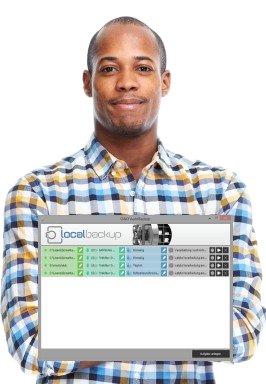

"This backup software simply protects my files and works for me!" — Maria T.
Reliable daily backup protection for your files.
Download Local Backup
Download Local Backup to protect your valuable data with automated backup solutions. The trial version provides full functionality with display limitations that are removed upon license activation.
Local Backup Trial Version
Download the free trial to evaluate all features before purchasing. Compatible with all modern Windows versions.
Download Trial VersionAdditional Downloads
32-Bit Version
For older Windows systems or 32-bit operating systems, download the 32-bit edition of Local Backup.
Download 32-BitInstallation & Compatibility
Supported Windows Versions
- Windows 11
- Windows 10
- All Service Pack levels supported
- Administrator rights required
Quick Installation
- Download the installer file using the button above
- Double-click the downloaded file to launch the setup wizard
- Follow the on-screen instructions to complete installation
- Launch Local Backup and begin configuring your backup tasks
Minimum Requirements
- Processor: Intel Pentium 4 or equivalent
- Memory: 512 MB RAM minimum
- Disk Space: 50 MB for installation
- Display: 1024 x 768 resolution
- Storage: External drive for backups
Additional Notes
- Administrator privileges required for installation
- Internet connection for license activation
- External storage device recommended
- Compatible with USB, network, and NAS drives
What's Included
- Automatic backup scheduling
- Connection-triggered backups
- Multiple backup types (full, differential, sync)
- Version control system
- Event viewer and logs
- User-friendly interface
- Technical documentation
Language Support
Local Backup is available in 2 languages:
- English
- German
Secure Download
- Digitally signed installer
- Verified publisher certificate
- Malware-free guarantee
- No bundled software
- Direct from UpdateStar servers
Trial to Full Version
Upgrading from trial is simple:
- Purchase a license key
- Enter key in trial software
- Full version activated instantly
No reinstallation required. All settings and configurations are preserved.
Upgrade Price Guarantee
Our Upgrade Price Guarantee protects your investment:
- Try trial version free
- Purchase within 60 days
- Get discounted upgrade price
System Info
Unsure about your system specifications? Use our system information tool to check compatibility before downloading.
Need Help?
Have questions about downloading or installing Local Backup?