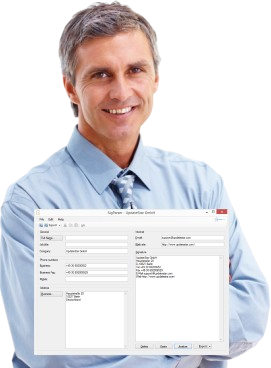

"Saves a lot of time and prevents embarrassing typing errors." — Richard S.
Simplifies the maintenance of your contact data.
SigParser Awards & Reviews
SigParser has earned recognition from leading technology publications and software review platforms worldwide. Industry experts consistently praise its intelligent signature parsing, time-saving automation, and seamless integration capabilities.
Industry Recognition
GIGA.de Review
"When manual maintenance of contact data information from emails needs too much effort, SigParser is the right place."
"The SigParser program gives you a tool that allows to analyze and export e-mail signature information and spare you in this way the manual maintenance of your contact data. If you want to save an e-mail signature, you only need to copy it to the clipboard, and click the 'Insert' button to SigParser to analyze the data. SigParser displays the results in the appropriate address fields to save the data."
GIGA.de, June 2016

CHIP Magazine Review
"Creating contacts for Outlook the easy way - SigParser makes it possible"
"SigParser makes saving e-mail contacts based on the signature at the end of an email message simple. You just need the text in the Signature window and press on the Analyze button. In no time SigParser parses the signature by name, addresses and phone numbers. The data is now ready for an export as an e-mail contact to Outlook or vCard file."
CHIP, June 2010
Softonic Review
"Excellent" — 8 out of 10 Points
"SigParser eases the assignment of individual contact details to the appropriate fields in the e-mail address book a two-click task. Especially in conjunction with Outlook it works great." The reviewer praised SigParser for providing wonderful help with contact management.
softonic.de, June 2009

c't Magazine Review
"Recognizes names, addresses and telephone numbers and exports these"
"Interesting addresses can be found in e-mails or web pages, word documents and in many other digital ways. How can these be used as elegantly as possible — without embarrassing copying — in one's own contacts? Simple: by copying the relevant section of text to the clipboard and letting SigParser analyze the data. The tool recognizes names, addresses and phone numbers, and exports them directly into Outlook or a vCard, an electronic business card, which can import many PIM and e-mail programs."
c't (German computer magazine), March 2008

Lockergnome Review
"Saves you so much time"
"This saves you so much time, prevents annoying manual copy and paste processes, and with SigParser you prevent embarrassing manual typing errors — embarrassing for you and your business contacts."
Lockergnome, November 2009
What Reviewers Love
Professional reviewers consistently highlight these key strengths:
Significant Time Savings
Reviewers emphasize the dramatic reduction in time required for contact management compared to manual entry.
Intuitive Operation
Simple copy-paste-analyze workflow praised for its ease of use and minimal learning curve.
Smart Recognition
Intelligent parsing algorithms accurately identify and categorize contact information fields.
Outlook Integration
Seamless Microsoft Outlook integration particularly noted as a standout feature.
Error Prevention
Eliminates transcription errors that commonly occur with manual contact data entry.
Universal Export
vCard export functionality enables compatibility with multiple platforms and applications.
Review Summary
- 5 Major Publications featured reviews
- Excellent Ratings across platforms
- Professional Users highly recommend
- International Recognition from Germany and USA
- Consistent Praise over multiple years
Most Common Praise
- Saves significant time
- Eliminates manual errors
- Simple two-click operation
- Excellent Outlook integration
- Accurate field recognition
- Professional tool quality
Featured Publications
- GIGA.de: Leading German technology site
- CHIP: Major German tech magazine
- Softonic: International software portal
- c't Magazine: Respected computer publication
- Lockergnome: Technology review site
User Feedback
Professional reviewers and users consistently rate SigParser highly for its time-saving automation and reliable performance.
Recommended For
- Business professionals
- Sales teams
- Corporate users
- HR departments
- Heavy email users