
"The perfect software to download and convert my favorite movies!" — Phil S.
Download and convert your videos to multiple formats.
Getting Started with Video Converter
This comprehensive guide will walk you through the installation and initial use of Video Converter, enabling you to download and convert videos from 750+ platforms into optimized formats for any device or playback scenario.
Quick Setup Overview
Video Converter setup is streamlined and requires minimal configuration. Complete these three straightforward steps to begin downloading and converting videos professionally.
Estimated Time: 3-5 minutes
Download and Install
Begin by downloading the Video Converter installation package from our secure download page.
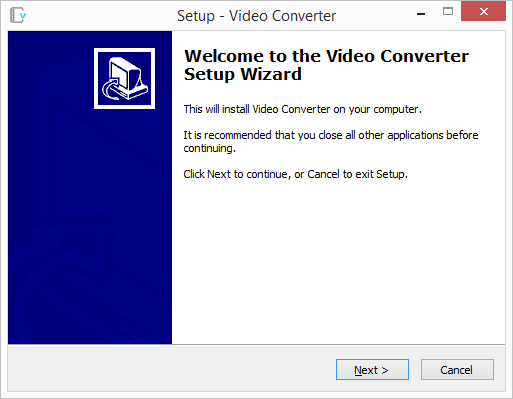
Installation Steps
- Download the installation file from the download page
- Run the installer and follow the setup wizard prompts
- Accept the license agreement and choose your installation preferences
- Complete the installation process
- Launch Video Converter by double-clicking the desktop icon or selecting from the Start menu
All installation files are digitally signed and undergo rigorous security testing to ensure your system's safety.
Download and Convert Your First Video
Begin downloading videos by copying and pasting URLs from your desired video platforms. Video Converter automatically detects the source platform and provides appropriate download options.
Download Process
- Navigate to your desired video on any of the 750+ supported platforms
- Copy the video URL from your browser's address bar
- Paste the URL into Video Converter's input field
- Select your preferred output format from the format dropdown (AVI, MP4, MP3, etc.)
- Configure optional settings such as quality, resolution, or device-specific presets
- Click the "Download" button to begin the download and conversion process
Video Converter automatically downloads and converts simultaneously
Advanced Features
- Batch Processing: Queue multiple videos for sequential download and conversion
- Simultaneous Downloads: Download up to 20 videos concurrently for maximum efficiency
- Parallel Conversion: Convert up to 10 videos simultaneously while downloading continues
- Progress Monitoring: Real-time status updates for each download and conversion task
Play or Transfer Converted Videos
Once conversion completes, access your converted videos directly from Video Converter's interface for immediate playback or file management.
Launch videos with your default media player
Playback and Management Options
- Quick Playback: Click the play icon in the listing area to launch your default media player
- File Location: Access the output folder to manage converted files directly
- Device Transfer: Copy converted videos to portable devices (iPhone, iPod, PSP, etc.)
- Format Verification: Confirm successful conversion by checking file properties and playback quality
- Library Management: Organize your downloaded videos within Video Converter's built-in file manager
Setup Complete!
You're now ready to download and convert videos from 750+ platforms. Video Converter will handle all technical aspects of format conversion automatically.
Pro Tips for Optimal Results
- Select device-specific presets for automatic optimization
- Use higher quality settings for archival purposes
- Enable browser plugins for one-click downloads
- Queue multiple videos before starting downloads
- Monitor available disk space for large video files
- Configure output folder for organized file management
Quick Tips
- Copy video URLs directly from browser
- Select format before downloading
- Use device presets for quick setup
- Queue multiple videos for batch processing
Estimated Time
- Installation: 1-2 minutes
- First Download: 1-5 minutes (video-dependent)
- Conversion: 30 sec - 3 minutes (format-dependent)
- Total Setup: 3-5 minutes
Supported Formats
Convert to 20+ formats:
- Video: AVI, MPEG, WMV, FLV, MP4, 3GP, RM, MOV
- Audio: MP3, WAV
- Devices: iPhone, iPod, PSP, Zune presets
Platform Support
Download from 750+ platforms with automatic detection and intelligent format handling.
Key Benefits
- Automatic platform detection
- 20 simultaneous downloads
- 10 parallel conversions
- Browser integration
- Device-optimized presets
Need Help?
Our dedicated support team is available to assist with installation, downloads, or any technical questions.
Contact Support